


See the
whole picture.

Run multiple questions across every document in a project, in a structured grid built from reusable templates.

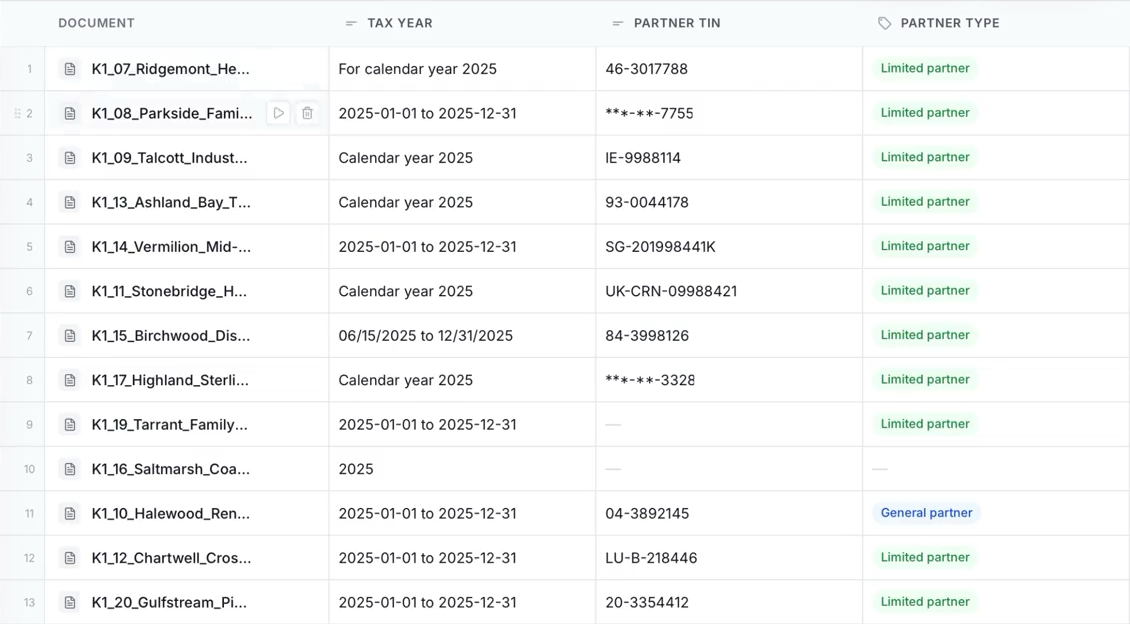
A completed Tallia K-1 review comparing tax years, partner identifiers, and partner types across documents.
The whole engagement, in one view.

Review, from start to finish

Your documents.
Your questions.
A clearer view.

See documents added to a review, a template applied, and the findings take shape. Then open a result to check the original source.

Recorded in Tallia using example K-1 documents. Edited for length.

Built around the engagement

A review that works
the way you do.

Choose the documents. Define the questions. Bring a repeatable structure to the work before you begin.

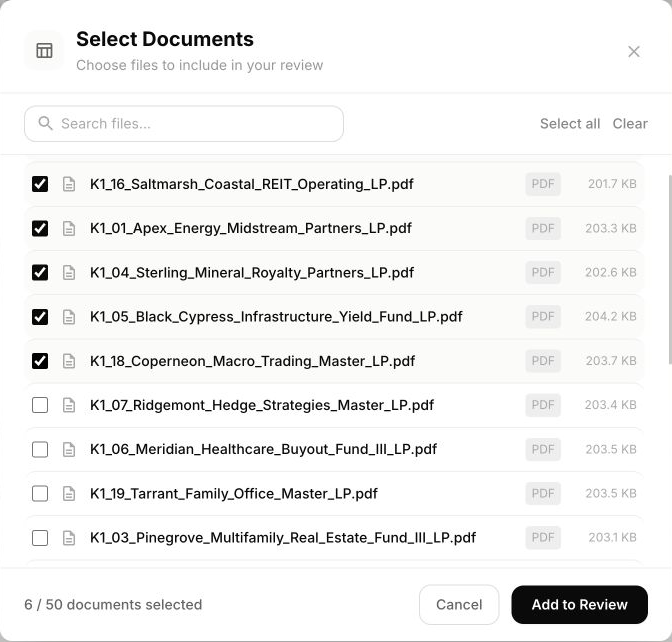
The actual Tallia document picker with six example K-1 documents selected for a review.
Select the documents that belong in the review.
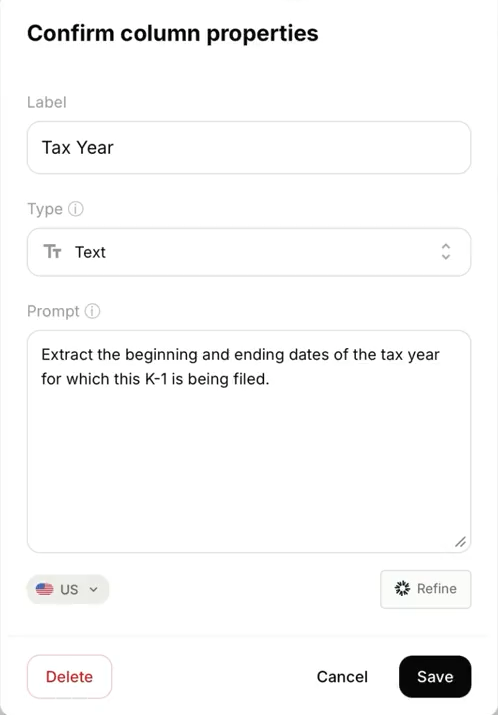
Tallia column properties showing a Tax Year question, Text answer format, a US jurisdiction selector, and the extraction prompt.
One question per column. The format is yours.
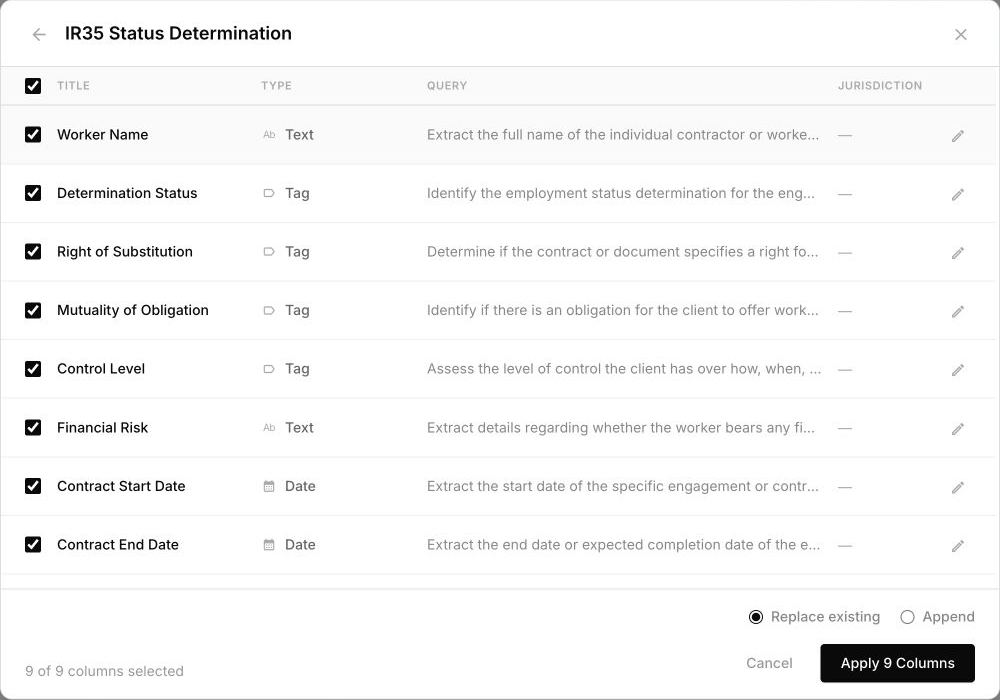
An IR35 review template with questions, text and tag answer types, and selectable columns.
A reusable starting point for your team’s expertise.
Reviews you can build from a template

K-1 forms

CT600 returns

Employment contracts

Tax in the accounts

Keep the source close

The detail behind
every finding.

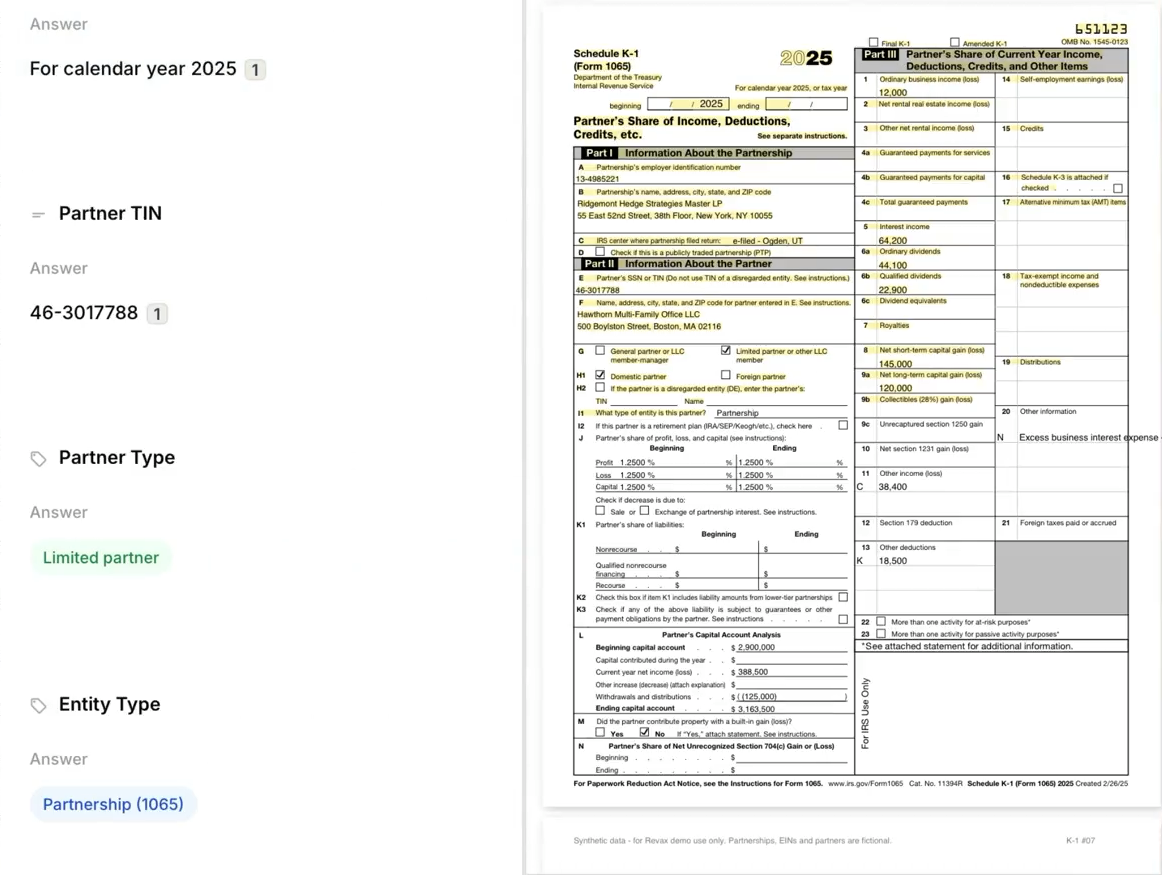
Open a cell to read the complete answer. Follow its citation into the supporting document, with the finding still in view.

Move from an overview of the engagement to the evidence behind a single result. Apply your judgement with the source alongside you.

See a finding in context
Tallia finding details with numbered citations beside the original example Schedule K-1 PDF.
Read the finding and its source side by side.

From findings to the next step

Keep the perspective.
Work through the detail.

Focus the table on what matters, return to a question when you need to, and take the findings into your next piece of work.

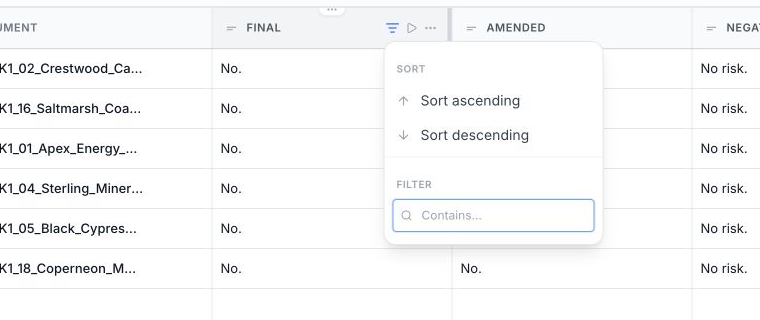
The Tallia column menu with sorting and filtering controls over an actual review.
Bring the relevant results into focus.
Refine the view

Bring the relevant
results into focus.

Filter and sort your columns to work through the results. Run a single question or document again when the review needs another pass.

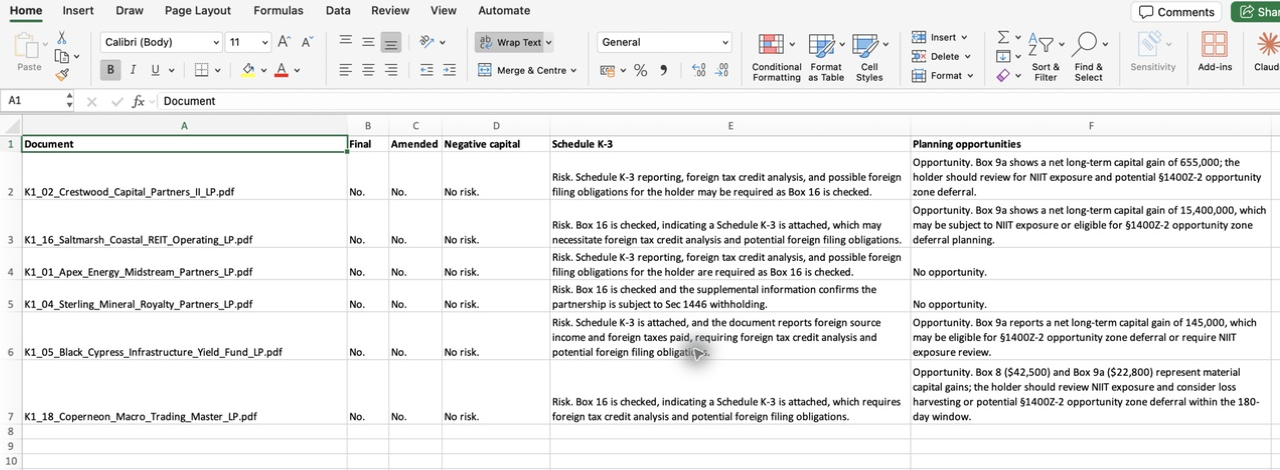
An Excel workbook exported directly from the demonstration review, with documents as rows and review questions as columns.
The actual review, exported to Excel.
Export to Excel

Take the findings
forward.

Export your review as an Excel workbook, with documents as rows and questions as columns. Continue your analysis in a familiar format.

The platform

Powerful workflows to match.

A closer look

See what Tallia
can do for your team.

A 30-minute walkthrough on a real question from your team. No deck. We’ll run it live against your authorities.

Book a Demo

Book a Demo
A closer look

See what Tallia
can do for your team.

A 30-minute walkthrough on a real question from your team. No deck. We’ll run it live against your authorities.

Book a Demo Explore a walkthrough with our team.

Revax is now Tallia.

Same team, same platform, new name. Everything you know from Revax continues as Tallia.